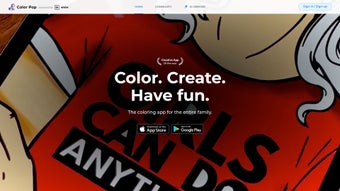

Download Color Pop AI – Free AI‑Powered Coloring Kit for Windows, Mac, Android & iOS
Overview of Color Pop AI
Color Pop AI is an innovative, AI‑driven coloring kit that brings a fresh, interactive experience to anyone who loves to add color to digital artwork. Built as a web‑based app, it combines an intuitive interface with realistic sound effects that mimic the satisfying scratch of a crayon or the soft brush of a paint roller. Over 12 million downloads and a thriving community of more than 3 million active users attest to its popularity among hobbyists, students, and even professional illustrators seeking a quick, fun way to explore palettes without the steep learning curve of traditional graphic software.
The platform houses a massive catalog of line drawings ranging from simple children’s sketches to intricate mandalas, fantasy scenes, and even architectural blueprints. Users can select from a variety of pre‑generated color palettes—each curated by AI algorithms that suggest harmonious hues based on color theory, trending aesthetics, and the specific line‑art style. The app also supports custom palette creation, letting artists experiment with bold, unconventional combinations that can be saved for future projects. While it doesn’t replace a full‑featured drawing suite, Color Pop AI excels at what it promises: a seamless, enjoyable coloring experience that can be accessed from any modern browser, on Windows, macOS, Android, or iOS devices.
Beyond the act of coloring, the real strength of Color Pop AI lies in its community features. Finished pieces can be uploaded to a public gallery, liked, commented on, and even remixed by other users. This social layer encourages learning, inspiration, and friendly competition, turning a solitary pastime into a collaborative creative hub. Security is taken seriously; all user data is stored on encrypted servers, and the app receives regular updates to keep the experience smooth and safe. In addition, the platform offers seasonal challenges, themed contests, and live webinars where seasoned artists demonstrate advanced color‑theory techniques, further enriching the user experience.
Key Features and Step‑by‑Step Installation Guide
Feature Highlights
- AI‑generated color suggestions that adapt to each drawing’s style and complexity.
- Extensive library of over 5,000 line‑art templates across multiple categories, including education, fantasy, nature, and technical drawing.
- Custom palette builder with real‑time preview, gradient editor, and HEX/RGB code export.
- Realistic sound effects for an immersive coloring session, with mute options in system settings.
- Community gallery for sharing, remixing, and receiving feedback, plus weekly themed challenges.
- One‑click export to PNG, JPEG, or high‑resolution PDF for print‑ready results.
- Responsive web design works on desktops, tablets, and smartphones, automatically adjusting toolbars and canvas size.
- Automatic cloud save ensures work is never lost, with version history for each project.
- Progressive Web App (PWA) support for a near‑native experience on mobile devices.
- Multilingual interface (English, Spanish, French, German, Japanese) to reach a global audience.
Installation & First‑Time Use
Getting started with Color Pop AI is remarkably straightforward because it is a web‑app, eliminating the need for a traditional installation process. Follow these steps to begin coloring within minutes:
- Open your preferred browser (Chrome, Edge, Safari, or Firefox) on any device.
- Navigate to the official Color Pop AI website at www.colorpopai.com.
- Click the “Start Coloring” button; the app loads instantly without any download or installation wizard.
- Sign up using an email address or social login (Google, Facebook, or Apple). A verification email confirms your account and unlocks cloud storage.
- Browse the catalog or upload your own line drawing (supported formats: SVG, PNG, JPG, up to 20 MB). The AI instantly scans the image and suggests three starter palettes.
- Choose a palette, adjust individual colors if desired, and begin filling shapes using the toolbar on the left. Brush size, opacity, and blending modes are adjustable with simple sliders.
- When finished, click “Export” to save your artwork locally, share directly to social media, or post it in the community gallery. Premium subscribers can also export a vector‑compatible PDF.
If you prefer a more app‑like experience, tap the “Add to Home Screen” prompt on mobile browsers. This creates a PWA shortcut that opens Color Pop AI in a standalone window, preserving offline caching for faster load times (though AI palette generation still requires an internet connection).
Cross‑Platform Compatibility, Performance Tips, and System Requirements
Supported Operating Systems
Color Pop AI runs on any modern operating system that supports HTML5, CSS3, and JavaScript. This includes Windows 10/11, macOS 10.15+ (Catalina and later), Chrome OS, Android 8.0+ devices, and iOS 13+ iPads and iPhones. Because the core engine lives in the browser, performance is largely dictated by the device’s hardware, browser version, and internet speed.
Performance Optimization
For the smoothest experience, we recommend the following:
- Use the latest version of Chrome, Edge, Safari, or Firefox. Older browsers may lack support for WebGL acceleration, which can cause lag on complex canvases.
- Maintain a stable broadband connection (minimum 5 Mbps) when generating AI palettes or saving large high‑resolution files.
- Close unnecessary browser tabs to free up RAM, especially on mobile devices with 4 GB or less of memory.
- Enable hardware acceleration in your browser settings to improve rendering speed for large line‑art files.
- Clear the browser cache periodically if you notice slow loading times; the PWA automatically refreshes cached assets every 24 hours.
Security, Privacy, and Updates
Security updates and feature enhancements are delivered automatically through the server, so users never need to manually apply patches. The development team follows GDPR and CCPA guidelines, offering clear privacy settings where users can control data sharing and opt‑out of community uploads if desired. All communications between the client and server are encrypted with TLS 1.3, and stored artwork is encrypted at rest using AES‑256. Regular backups ensure that even in the unlikely event of a server outage, no user data is lost.
Pros & Cons, Frequently Asked Questions, and Expert Review
Pros and Cons
- Pros:
- Intuitive UI that requires virtually no learning curve.
- AI‑driven palettes save time and spark creativity.
- Robust community for inspiration, feedback, and collaborative challenges.
- Works instantly on any device—no heavy downloads or installations.
- Secure cloud storage, automatic updates, and GDPR‑compliant privacy controls.
- Multilingual support expands accessibility worldwide.
- Progressive Web App option offers near‑native performance on mobile.
- Cons:
- Lacks advanced drawing tools such as vector editing, brush dynamics, and layer masks.
- No full offline mode—AI palette generation and cloud saving require an internet connection.
- Export options are limited to raster formats (PNG, JPEG) and PDF; no direct SVG export.
- Sound effects can only be muted through system audio controls, not within the app.
- High‑resolution exports consume more bandwidth and may be slower on low‑speed connections.
FAQ – Your Color Pop AI Questions Answered
Is Color Pop AI free to use?
Yes, the core coloring experience is completely free. A premium subscription unlocks additional palettes, higher‑resolution exports, ad‑free browsing, and priority cloud storage.
Can I upload my own line art?
Absolutely. Users can import SVG, PNG, or JPG files up to 20 MB. The AI will automatically generate palette suggestions tailored to the uploaded drawing, and you can edit those suggestions before you start coloring.
Does Color Pop AI work on iPads?
Yes. The web app is fully responsive, and the PWA version can be added to the Home Screen for a more native feel on iPadOS. Apple Pencil support is also enabled for precise brush control.
How is my artwork protected?
All user data is encrypted both in transit (TLS) and at rest (AES‑256). You control privacy settings for each piece, choosing between private storage, community sharing, or public gallery placement.
Can I use Color Pop AI without an internet connection?
The app requires an active connection for AI palette generation and cloud saving. However, once a drawing is loaded, you can continue coloring offline, but you won’t have access to auto‑save or new palette suggestions until you reconnect.
What file formats can I export?
Export options include PNG, JPEG, and high‑resolution PDF. Premium users also gain the ability to export a print‑ready PDF with embedded color profiles for professional printing.
Expert Review
Color Pop AI scores a solid 4.3 / 5 based on its ease of use, vibrant community, and AI‑enhanced palettes. While power users may miss advanced brush controls and offline capabilities, the platform delivers a delightful experience for its target audience—people who want to dive straight into coloring without technical barriers. The seamless cross‑platform support, regular feature updates, and robust privacy safeguards make it a standout choice in the niche of creative coloring tools.
Conclusion & Call to Action
In a digital landscape crowded with heavyweight illustration suites, Color Pop AI carves out a niche that celebrates pure, unfiltered creativity. Its AI‑driven palette engine, massive template library, and lively community make it a go‑to destination for anyone looking to unwind, practice color theory, or simply enjoy the therapeutic act of filling shapes with hue. The absence of an offline mode and limited drawing tools are understandable trade‑offs given its focus on simplicity and accessibility.
If you’re searching for a secure, instantly available coloring platform that works across Windows, macOS, Android, and iOS, Color Pop AI delivers on its promise. Download Color Pop AI now, create your first masterpiece, and join a community of millions who are already sharing their vibrant visions. Whether you’re a student, a parent looking for a fun activity, or a seasoned illustrator seeking quick palette inspiration, this AI‑powered kit is engineered to make coloring effortless and enjoyable.
Don’t forget to explore the premium subscription for extra features, and keep an eye on regular updates that introduce new templates, seasonal palettes, and community events. Your next colorful adventure is just a click away.



.png)



